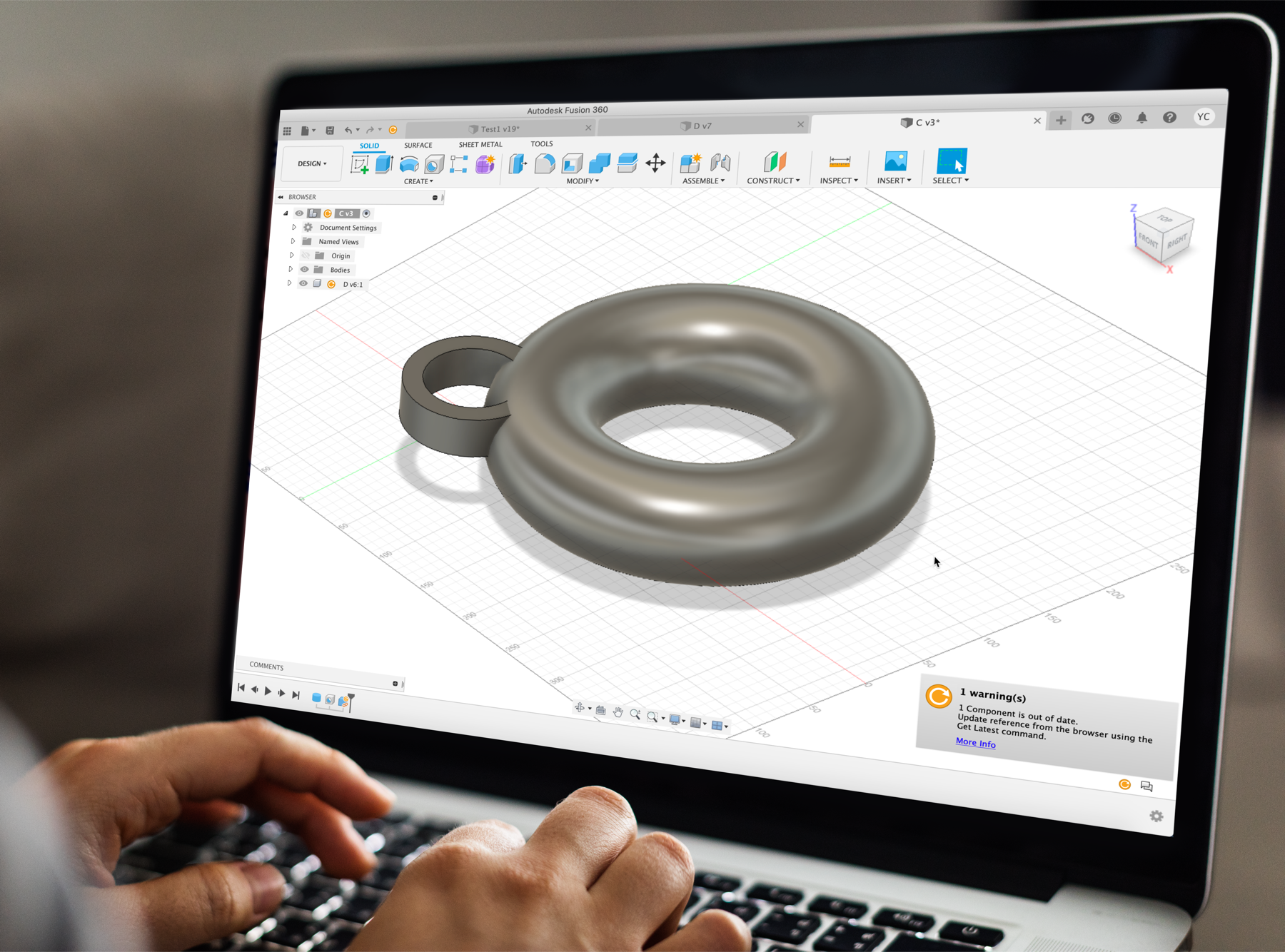
Unifying the Update Experience
Fusion 360, a leading 3D design and manufacturing cloud-based software, is utilized for designing a wide range of products, from toys to furniture and machine parts. An essential feature of Fusion 360 is its iconography, particularly for notifying users about updates in their design files. The existing 'update' icon, mimicking a warning sign, often caused confusion, detracting from its purpose of signaling updates. In response, I led a collaborative effort with key stakeholders to overhaul this icon. The resulting design is both clear and effective, accurately conveying its intended message and significantly enhancing user communication within Fusion 360.

A picture is worth a thousand words. But what happens if it tells the wrong story?
Problems
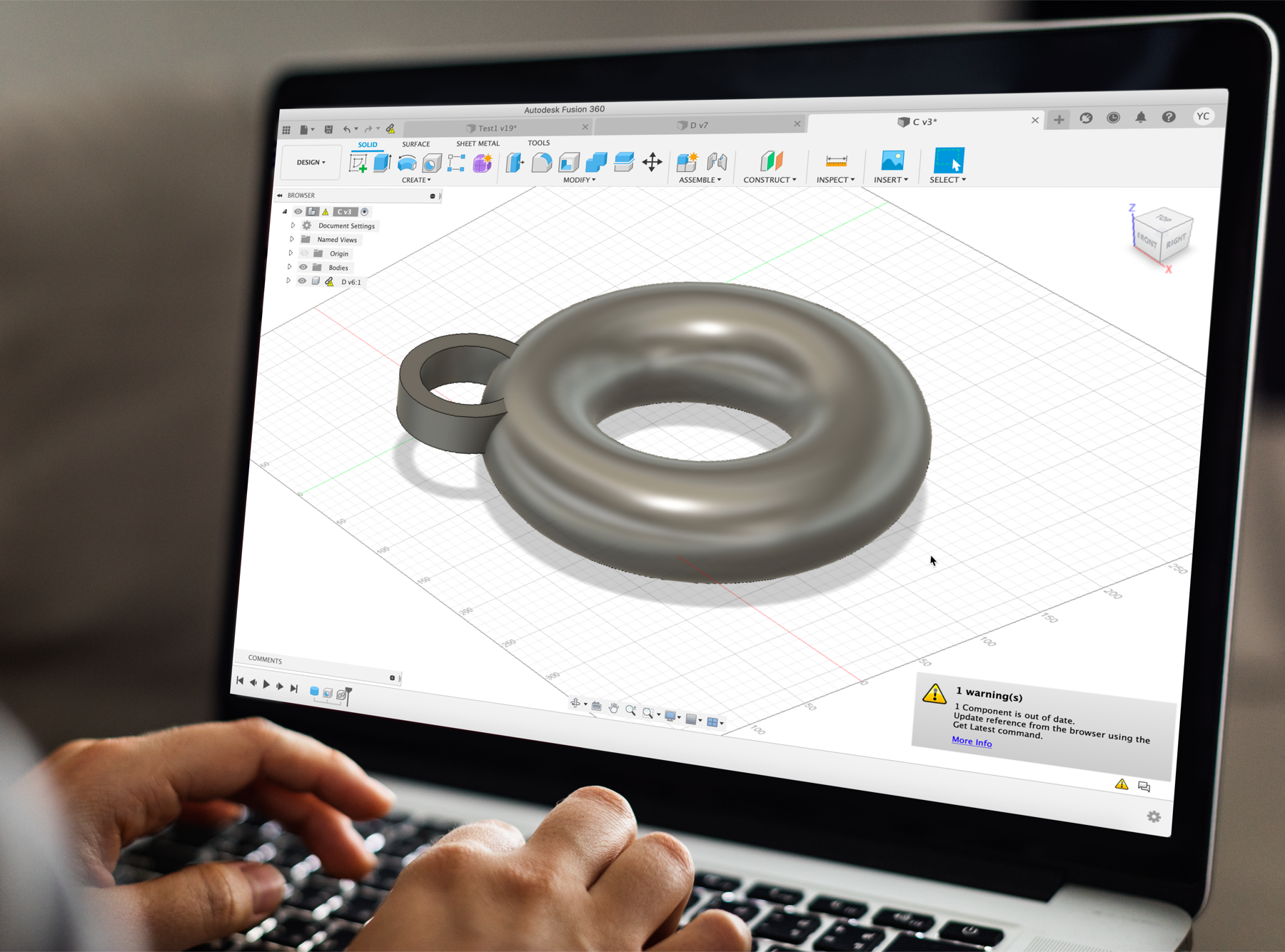
In Fusion 360, the "update" icon is critical for notifying users about available updates in their design files, enabling informed decisions on whether to update or maintain current versions.
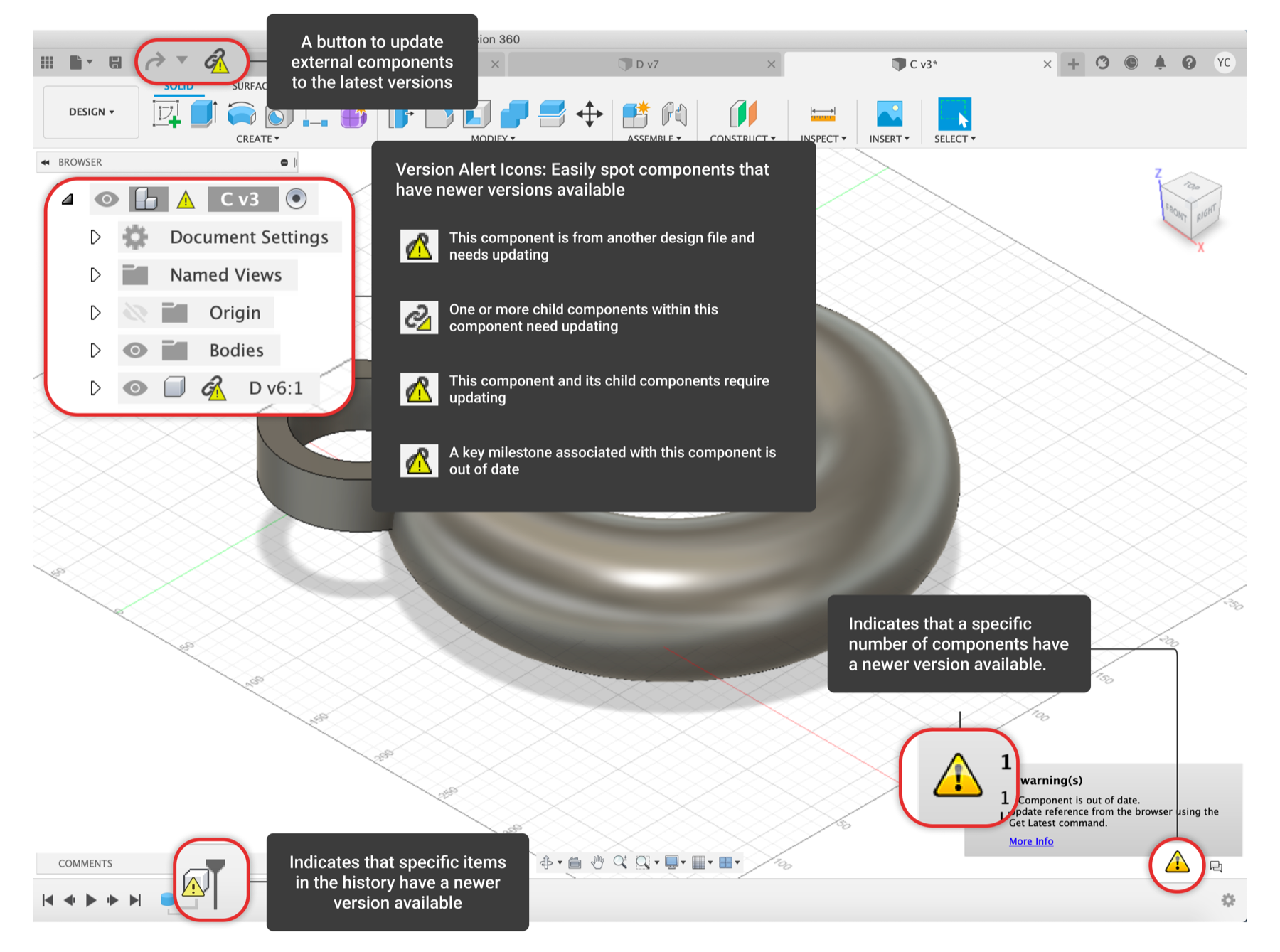
However, during usability tests for a separate project, it became apparent that this icon was frequently misunderstood as a warning sign, causing confusion. An in-product audit I conducted identified four major usability issues with this icon:
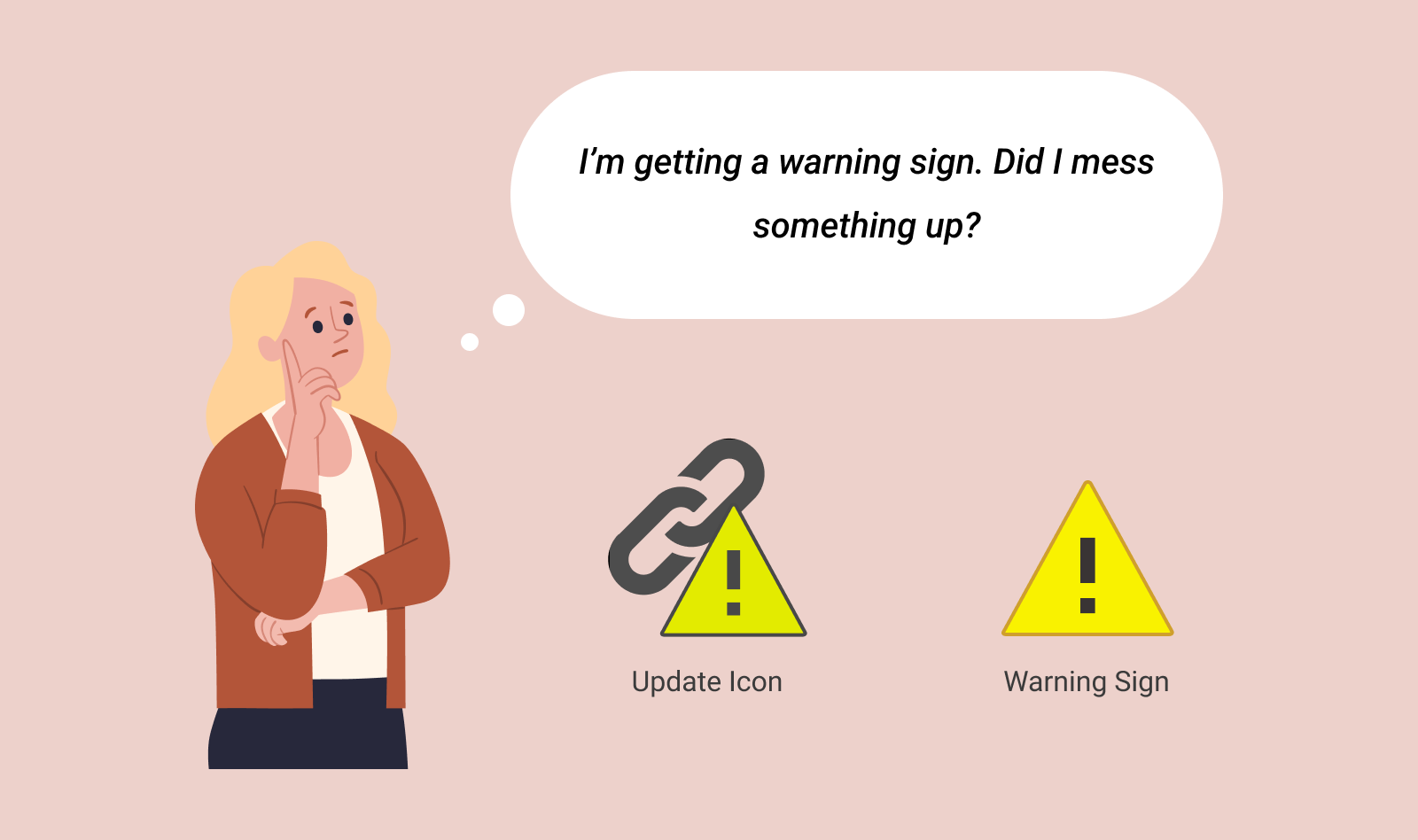
1. Confusing Resemblance:
The icon's triangular shape closely resembled a warning sign, causing unnecessary confusion and anxiety among users.
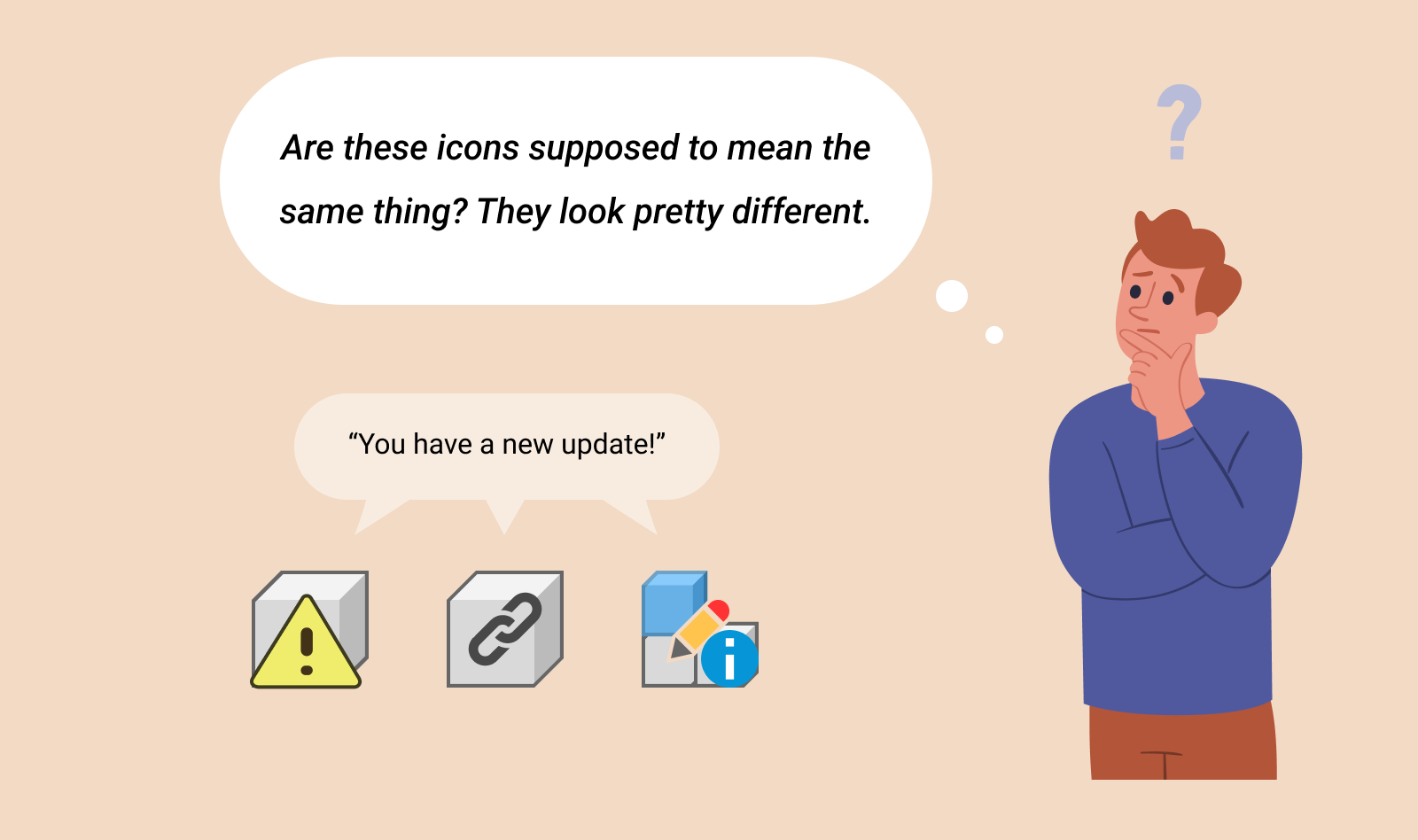
Lack of Consistency:
Variations in the "update" icon's design across different Fusion 360 interfaces led to further usability challenges.
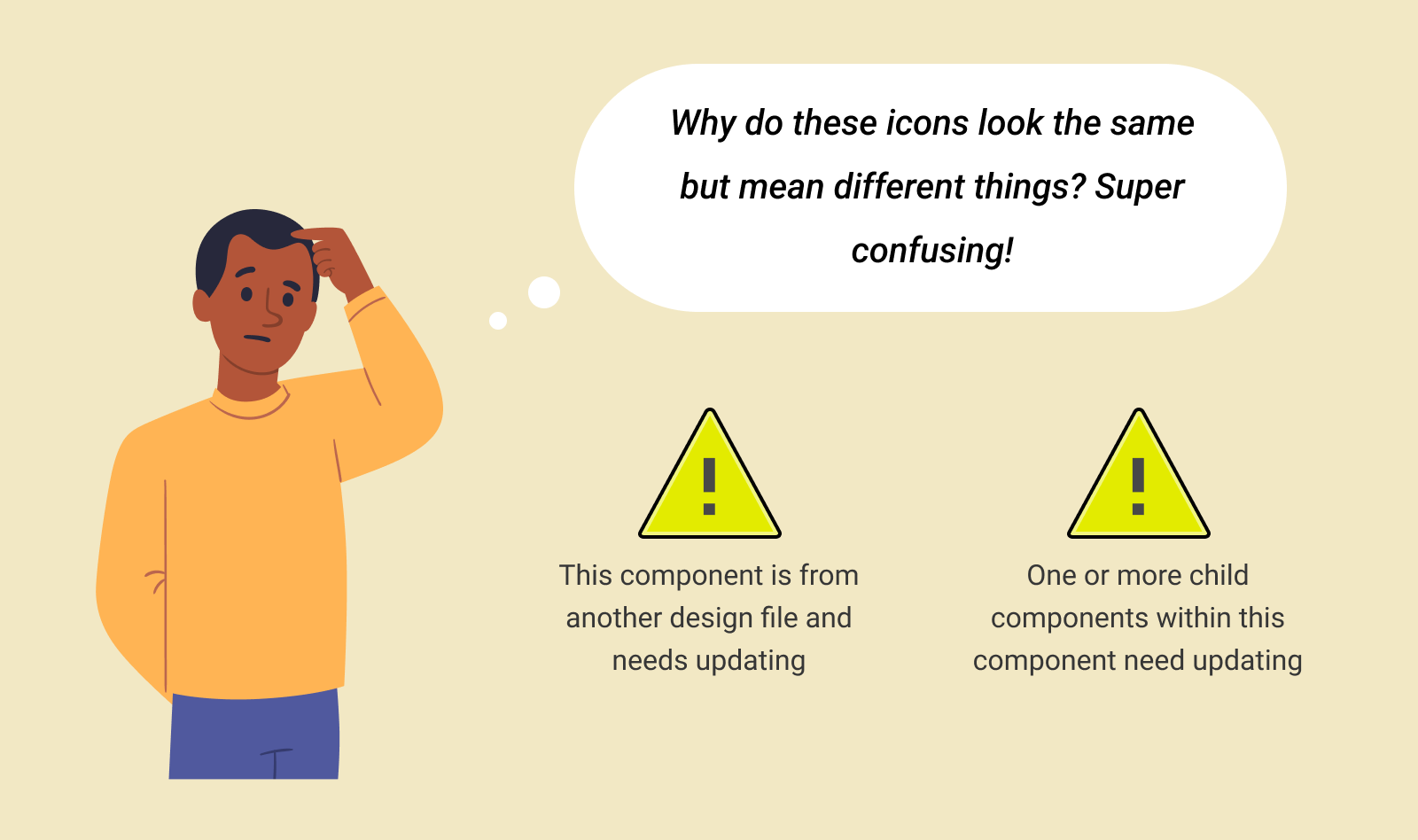
Misleading State Representation:
The same update icon was used for multiple situations, which muddled its intended message, leading to user confusion.
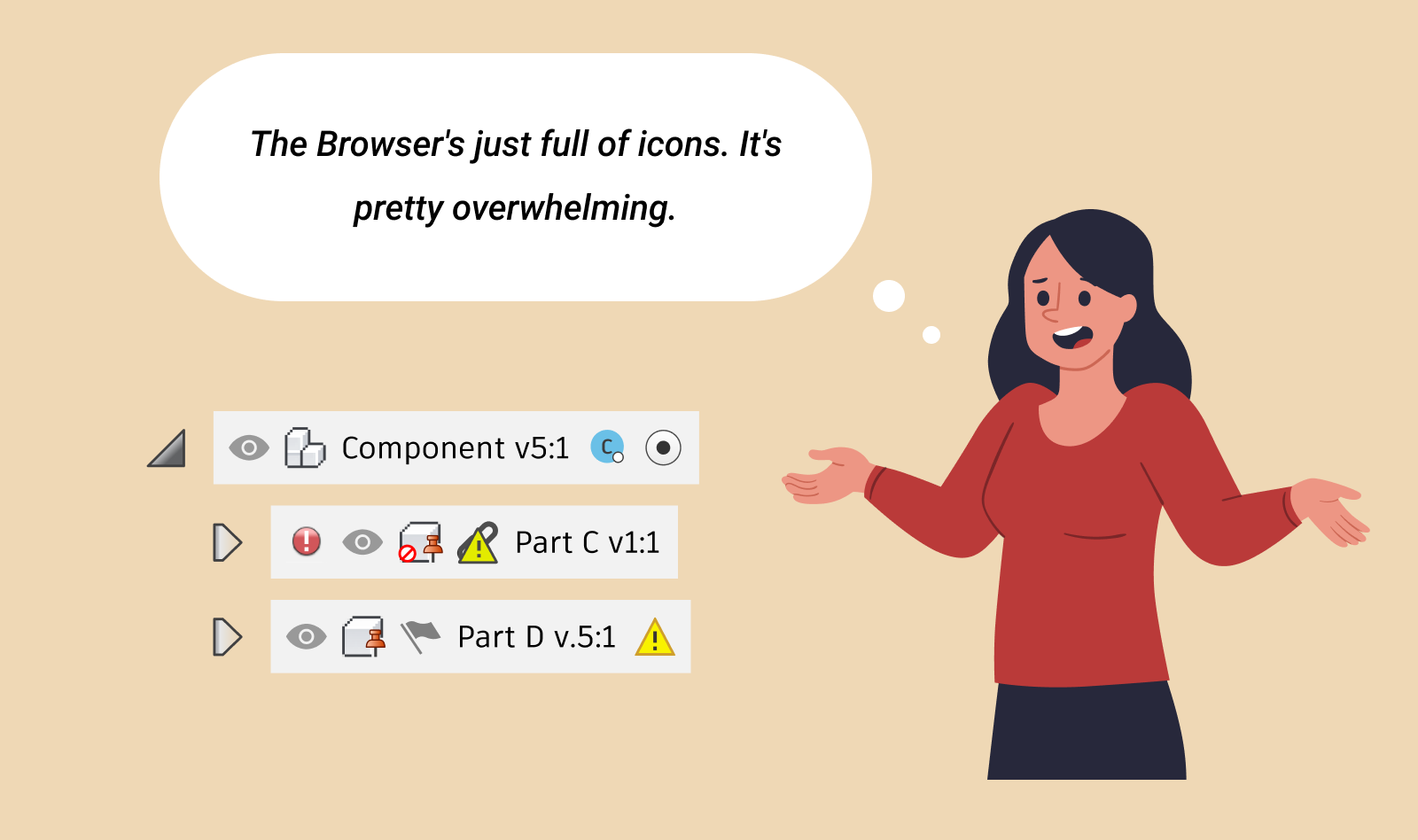
4. Confusing Browser Layout:
In the Fusion 360 Browser, which organizes canvas objects and properties in a tree-like structure, the inconsistent and disorganized display of some objects hindered clear communication of the update status.
Solutions
Addressing the identified concerns, I initiated discussions with the team and spearheaded the effort to revamp the "update" icons and improve the Browser's Information Architecture (IA). This initiative was aimed at ensuring that the icon communicated its intended message more effectively and clearly, thereby resolving the usability challenges previously observed.
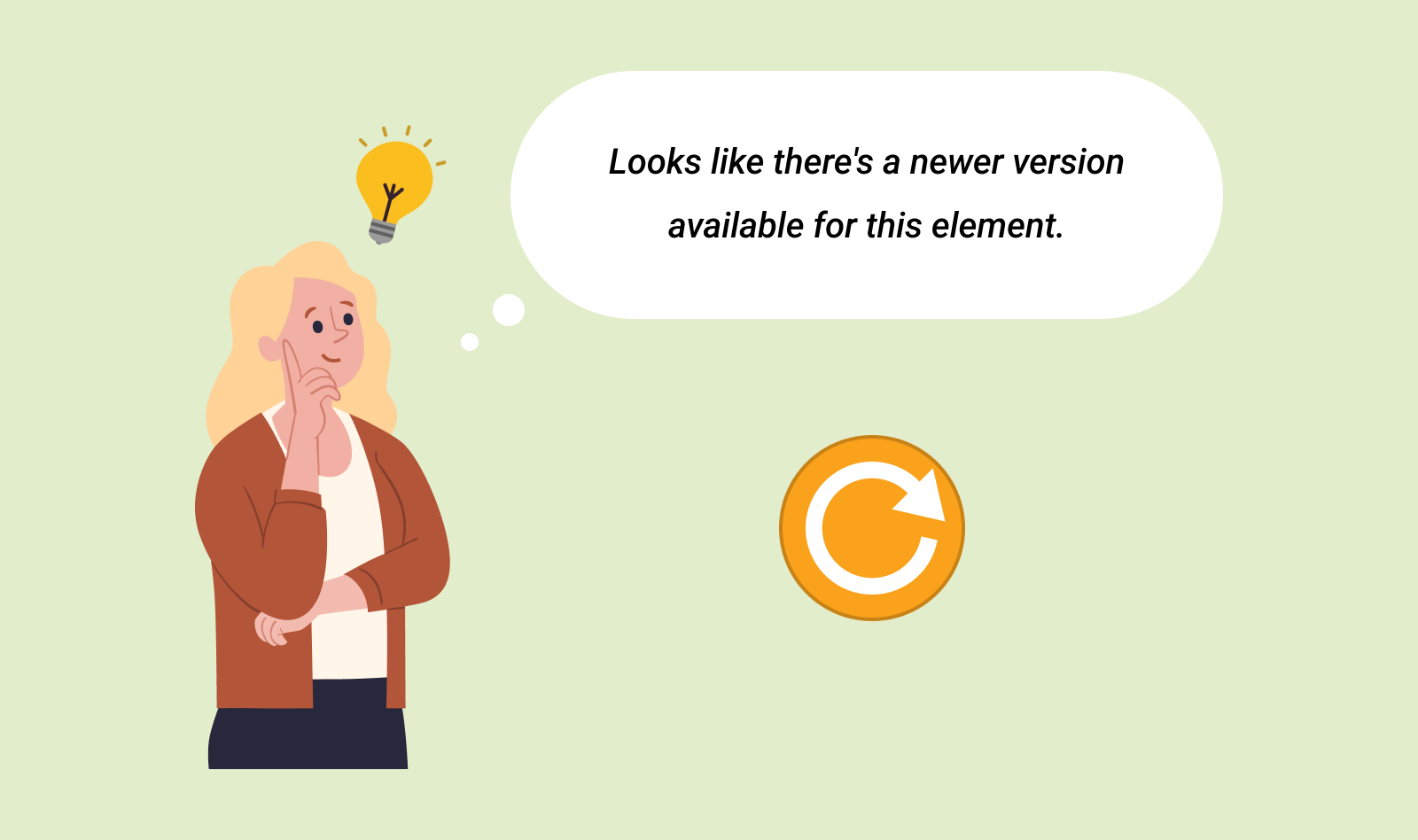
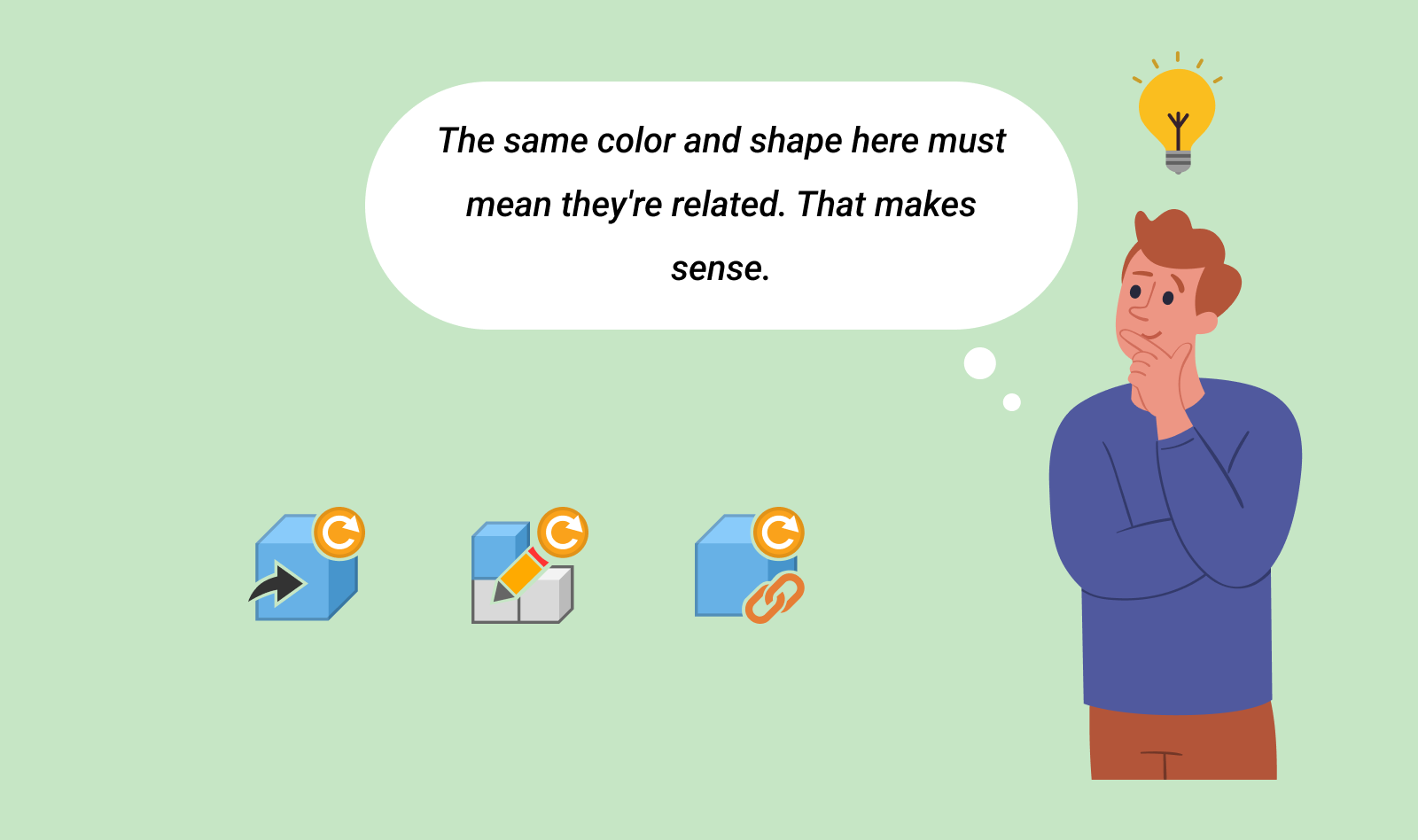
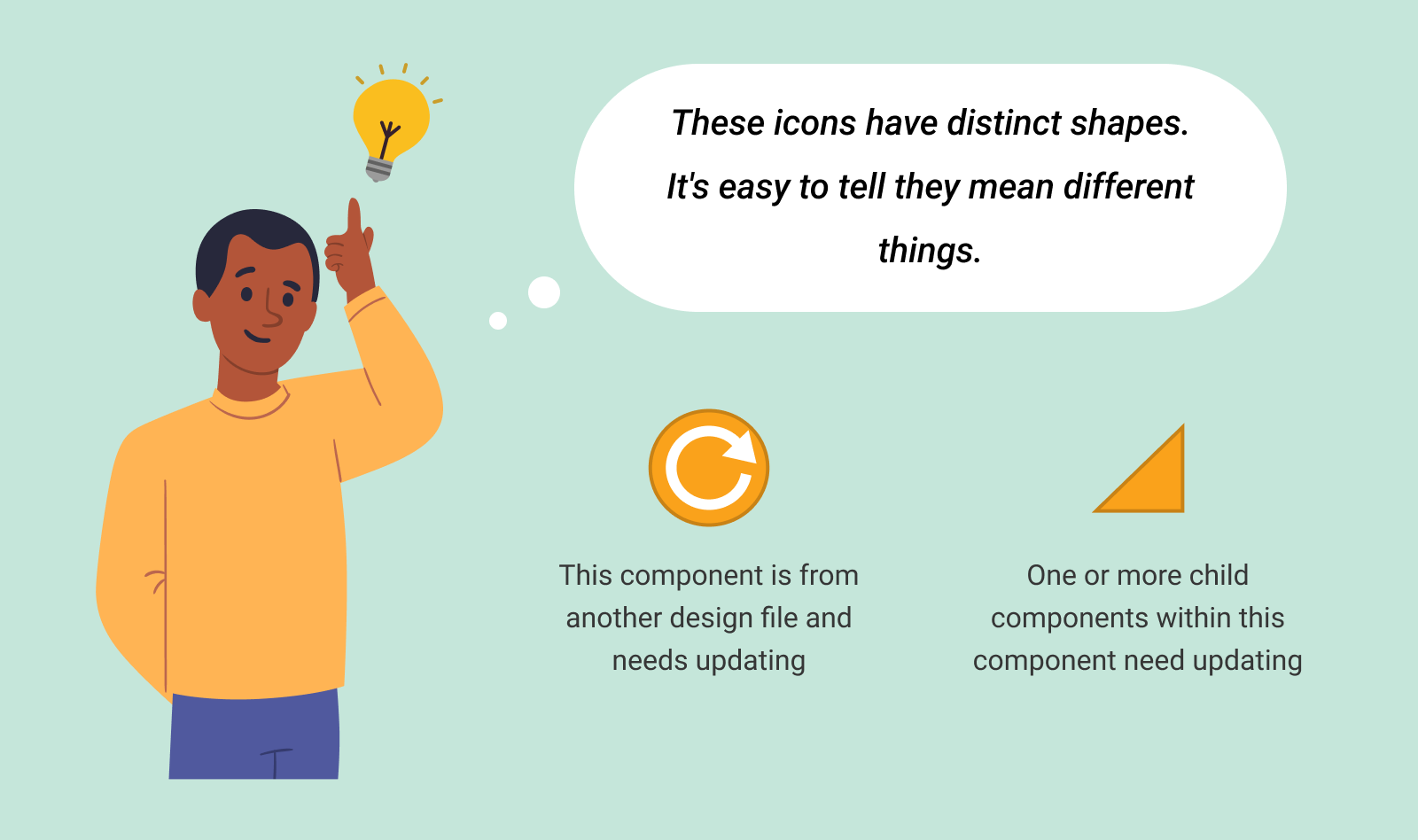
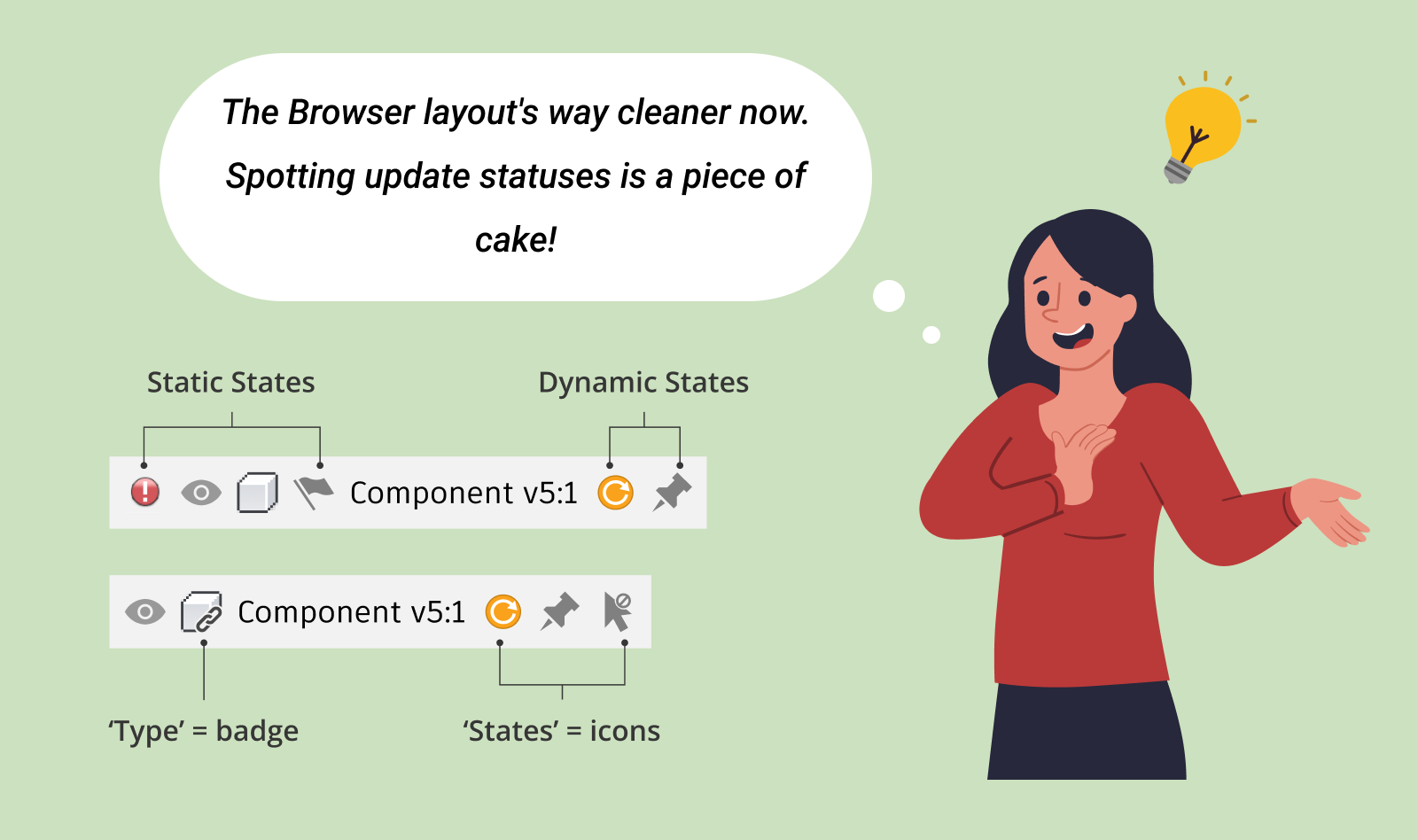
The redesigned update icon resonated with internal stakeholders. Curious about how we achieved it? Let me take you through the journey.
1. Defining the Scope
My first step was to understand the update icon's context and usage within Fusion 360. By analyzing its application across various features and situations, I gained the necessary insights to guide the redesign process effectively.
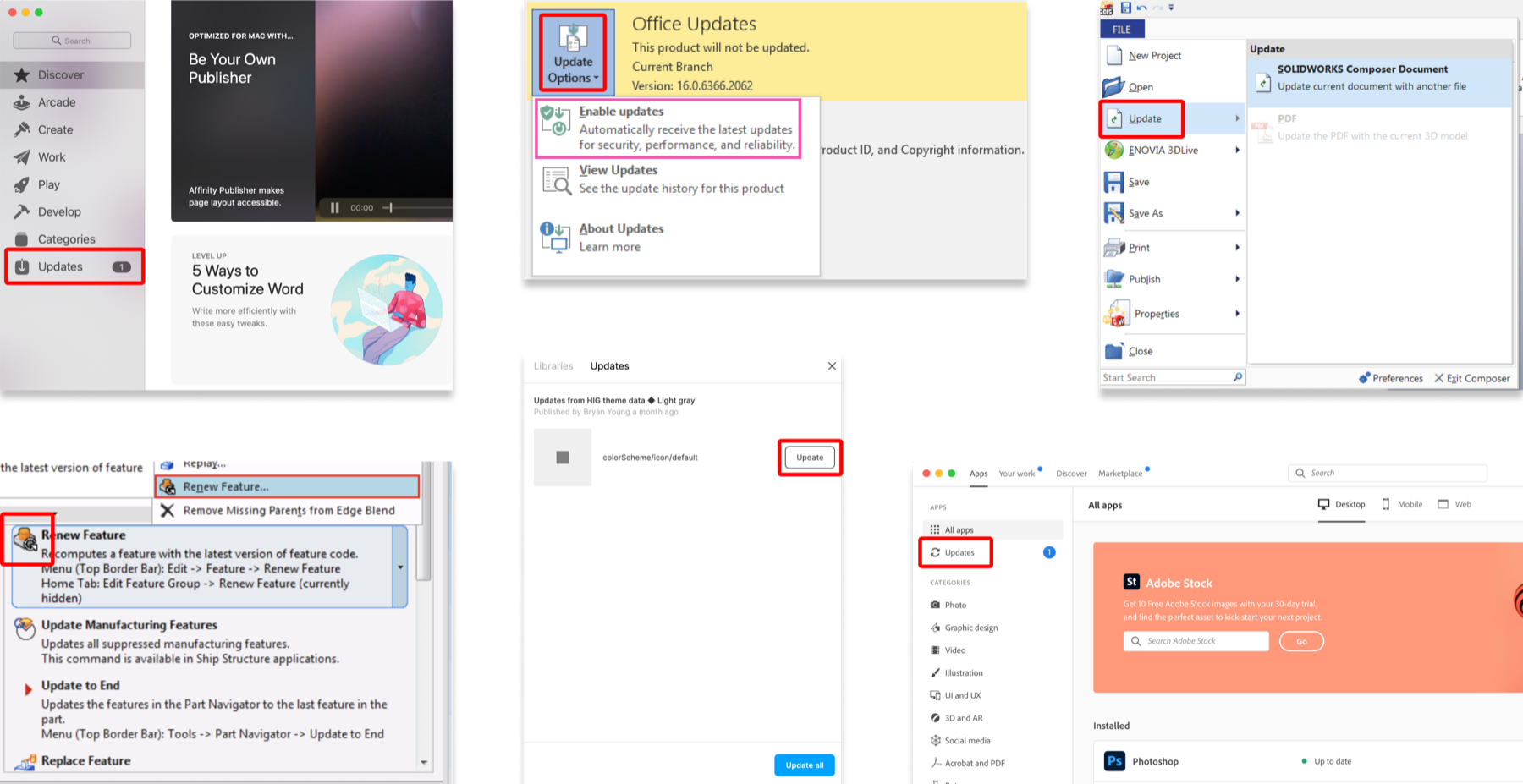
2. Competitive Analysis
Investigating how other products symbolize updates, I noted the frequent use of download arrows and refresh icons. This research informed my approach to reimagining Fusion 360's update icon.
3. Key Design Principles
During the redesign, I adhered to three principles:



Distinctiveness
Ensuring a unique appearance for each icon
Scalability
Designing icons adaptable to different sizes and contexts
Consistency
Maintaining a uniform style across all icons for cohesive user experience.
4. Explore a New Metaphor
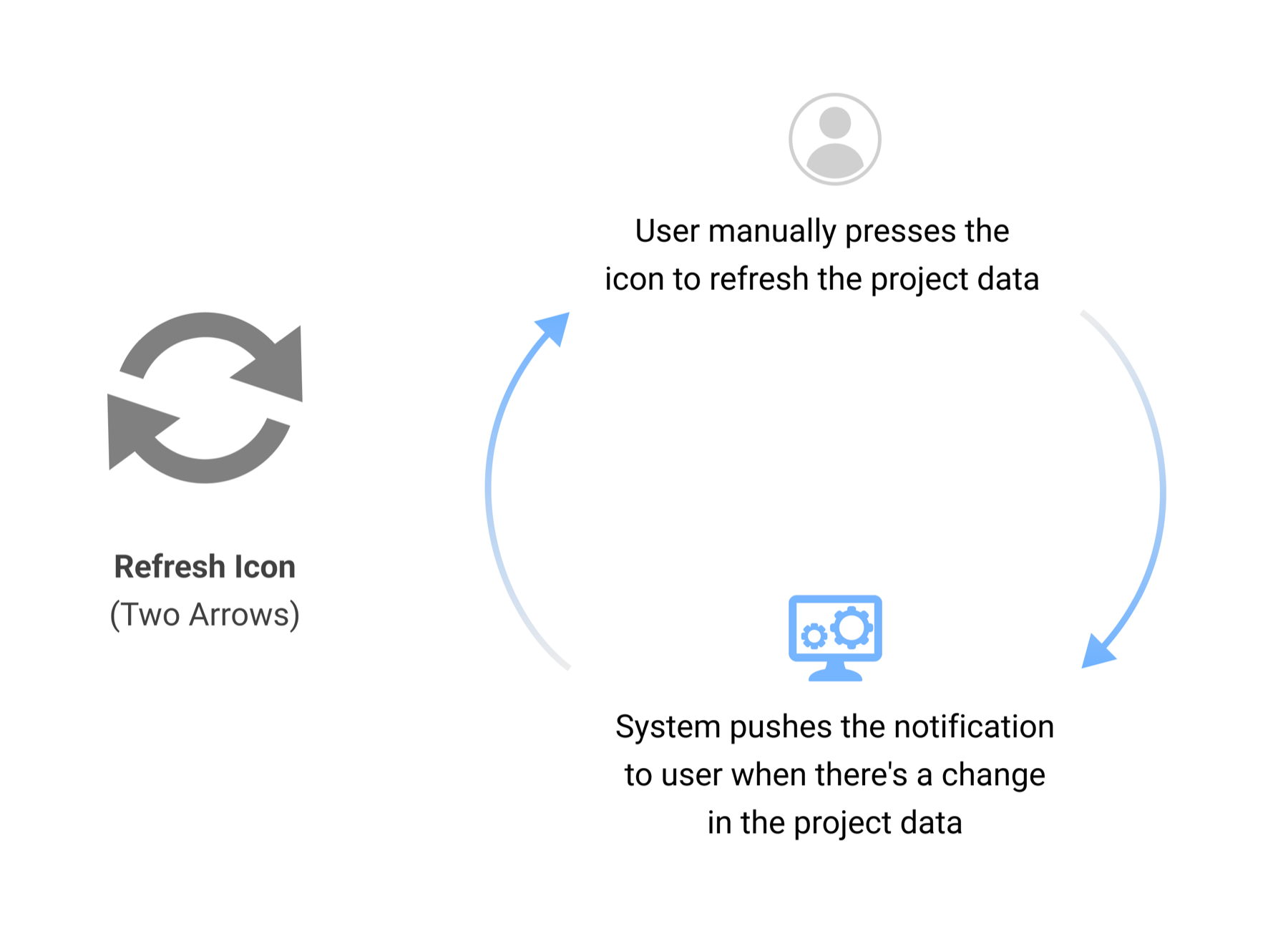
Moving away from the attention-grabbing, warning-sign-like triangular shape, I drew inspiration from the Fusion 360 refresh icon. The refresh icon uses two arrows forming a circle, representing the two-way flow of changes. I adapted this concept in the new update icon, featuring a single arrow, which clearly signifies a one-way flow of changes.
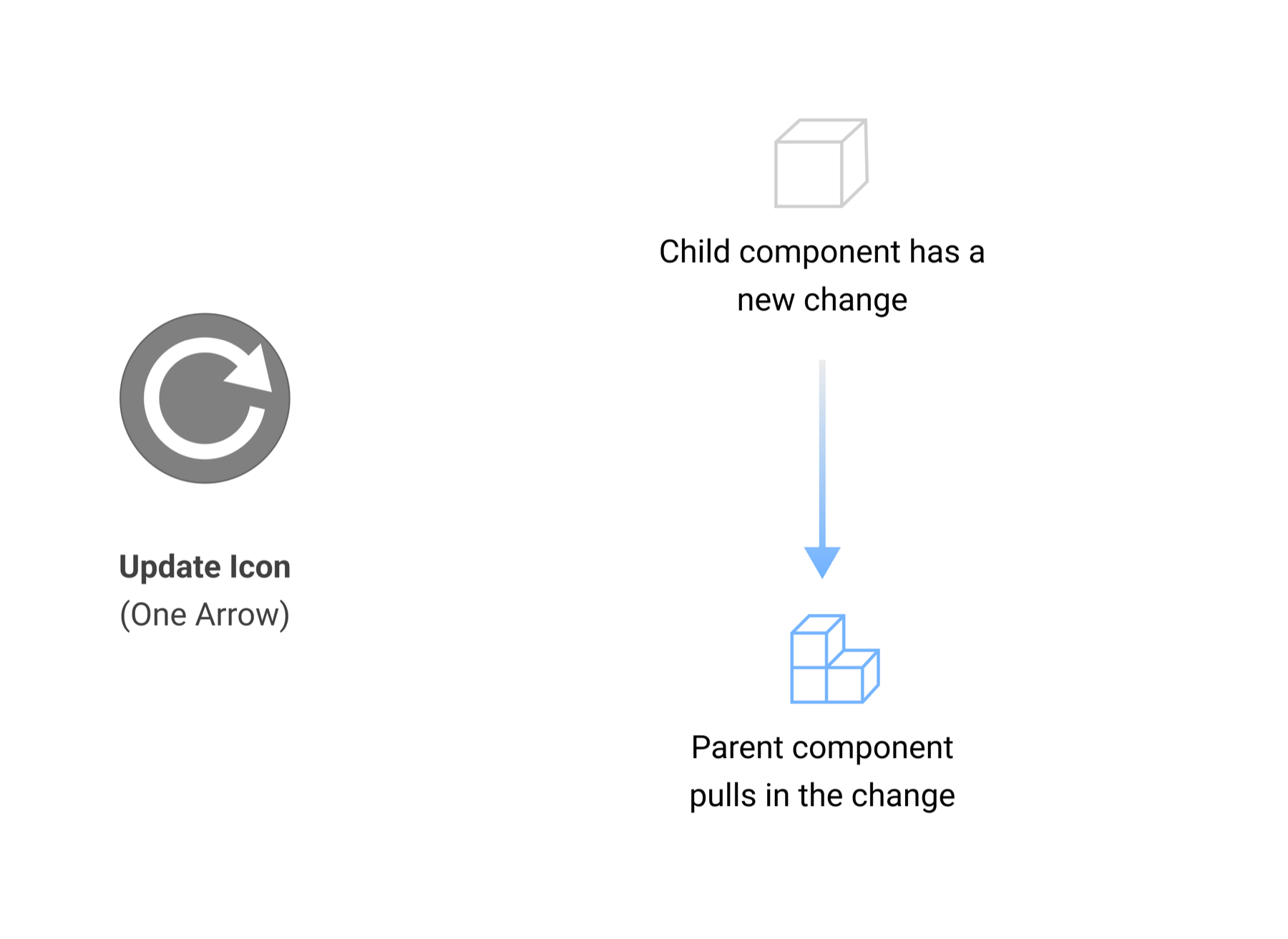
5. Determine the Right Color
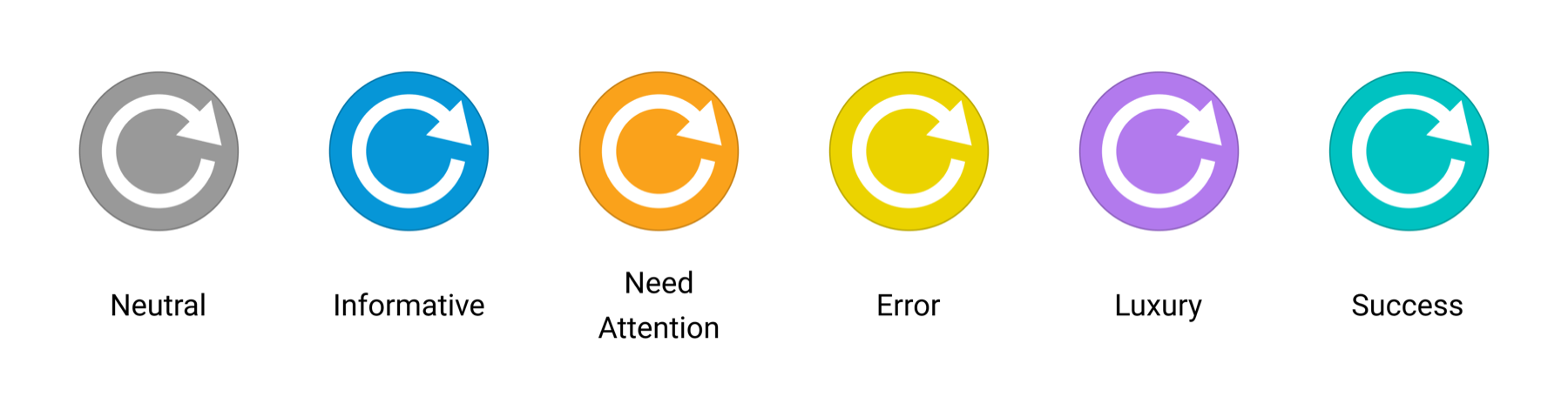
Color selection was key. Initially, blue was chosen for its informational connotation, but further stakeholder discussions revealed the need for a color suited to more critical updates. Orange was selected for its ability to draw attention without overwhelming, striking a balance between visibility and subtlety.
Outcomes
- Phased Rollout: The new icon design is being implemented in phases across Fusion 360. While visible in some areas, integration into other sections has been delayed due to higher-priority tasks.
- Positive User Feedback: Early feedback from users has been encouraging. The absence of reported issues indicates that the new icons are clear and intuitive, successfully meeting their intended purpose.
- Future Implementation: The complete roll-out of the redesigned icon is planned throughout 2024.
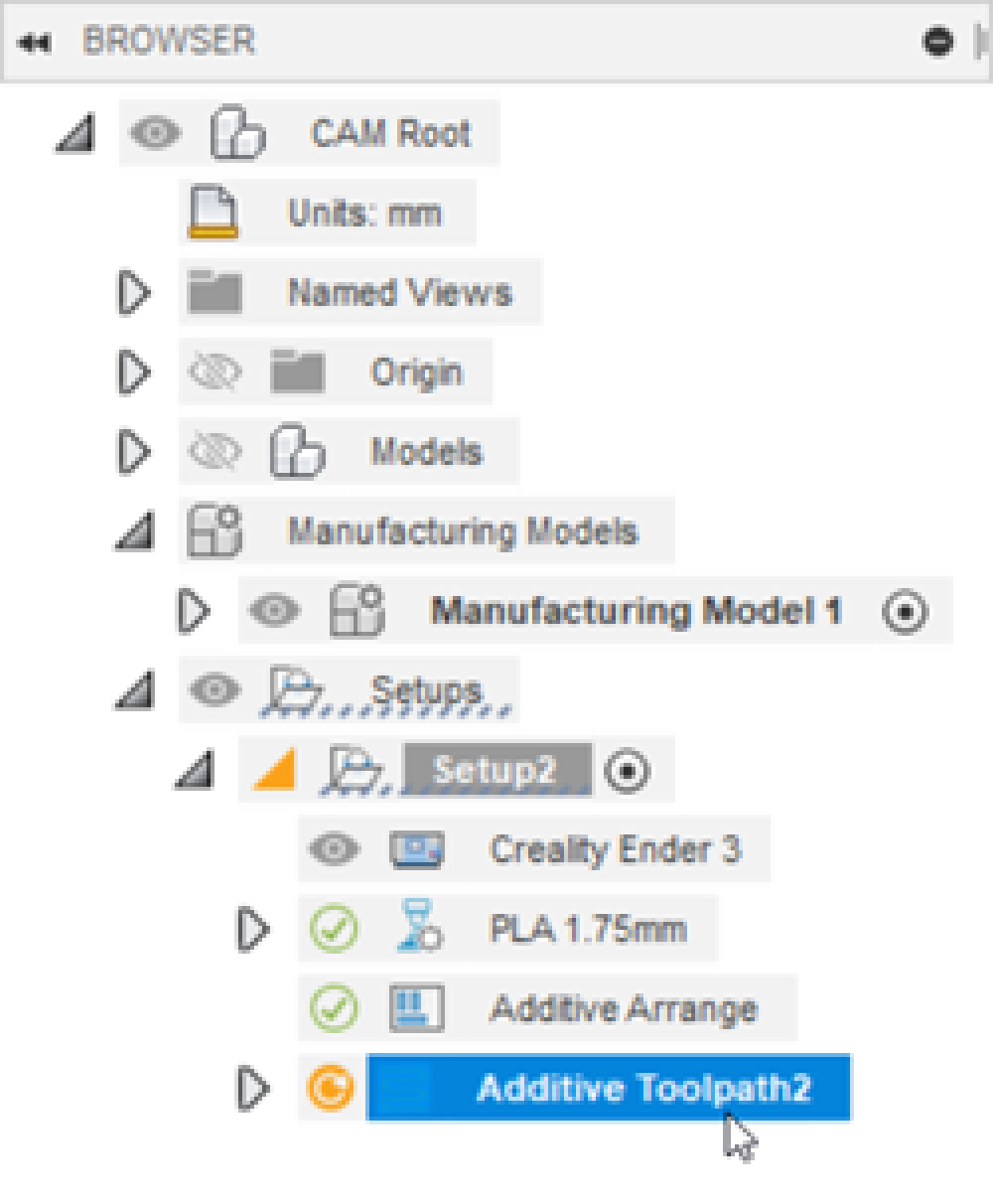
Browser in Manufacturing workspace
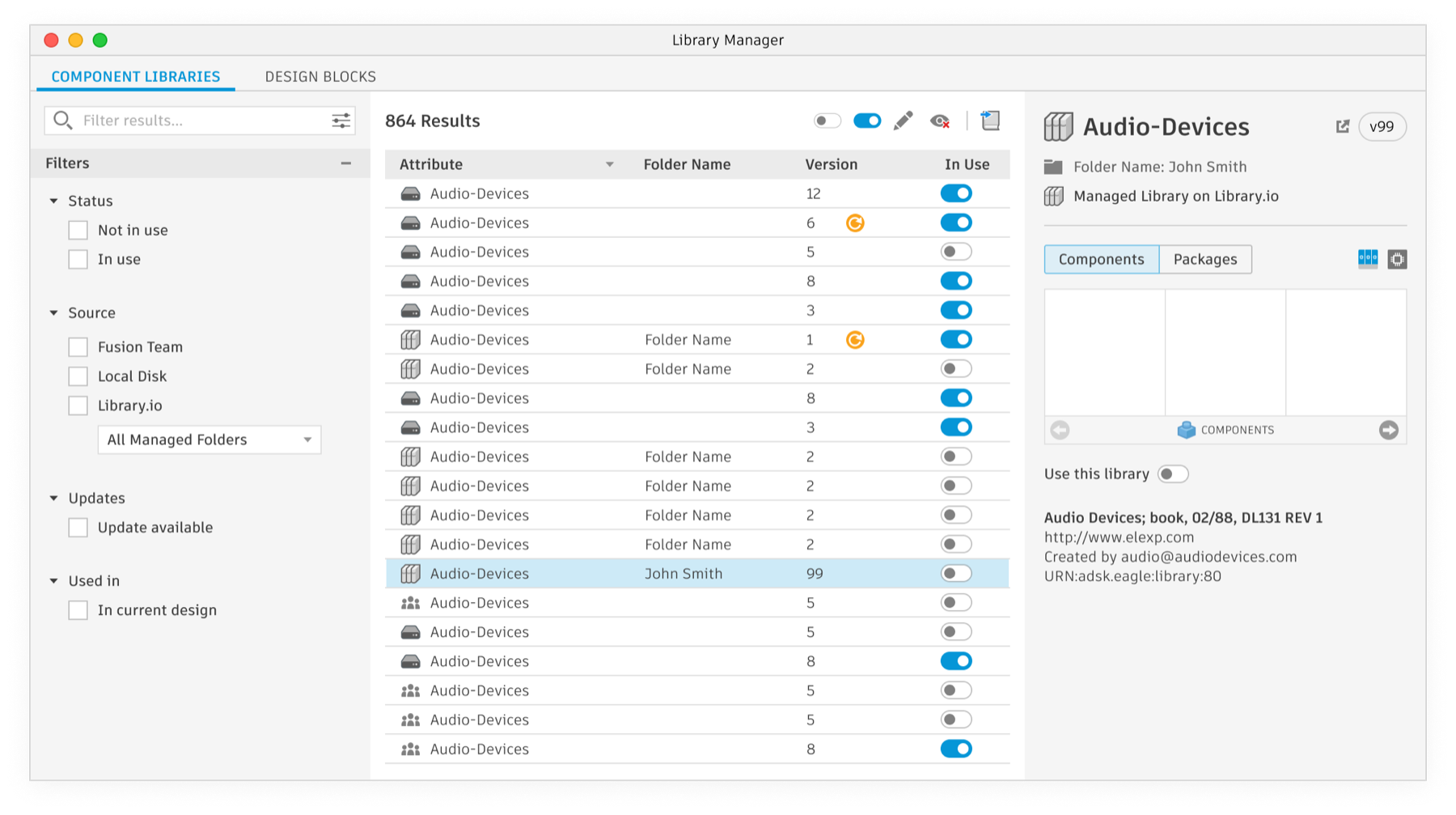
Component library in Electronics